
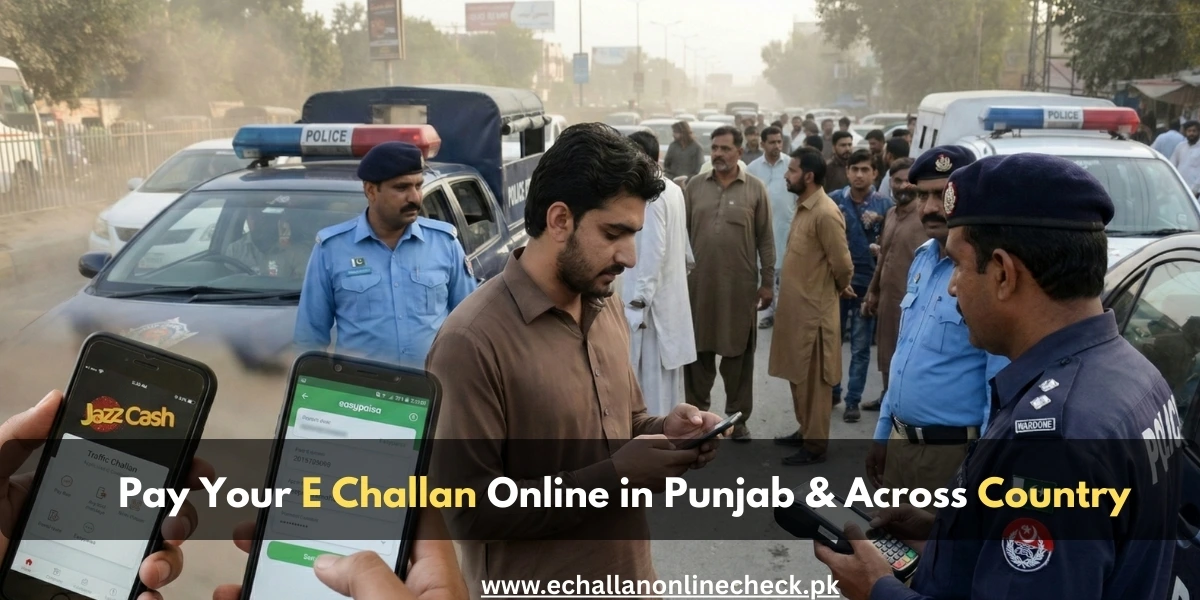
How to Pay E-Challan Online in Punjab & Across Pakistan in 2026
Gone are the days when a traffic violation meant a long, frustrating trip to a specific bank branch to stand in a queue. With the modernization of the Punjab Safe City e challan system and similar initiatives in Islamabad and Sindh, clearing your traffic fines is now as simple as paying a utility bill.
If you have discovered a pending fine through an e challan check, this guide will show you exactly how to pay e challan online using your smartphone or an ATM. Clearing these fines promptly is essential to avoid vehicle blacklisting and legal complications. Pay your Challan online in Sindh Territory also.
What is a PSID and Why Do You Need It?
Before you can pay, you must understand the PSID (Payment Slip ID). This is a unique 17-digit or 18-digit number generated specifically for your violation. Think of it as a “digital invoice number.”
To get your PSID:
- Perform a psca e challan online check using your vehicle number and CNIC.
- Once your pending challan appears, click on the “Generate PSID” or “Print Challan” button.
- Note down this number; it is what you will enter into your banking app or wallet to complete the payment.
How to Pay E-Challan Online via ePay Punjab
The ePay Punjab app is the official and most reliable way to pay any government fee in the province.
Step 1: Download and Register
Download the ePay Punjab app from the Google Play Store or Apple App Store. Register using your mobile number and CNIC.
Step 2: Select the Service
On the home screen, tap on the “Punjab Police” section and then select “Traffic Challan” or “E-Challan (Safe City)”.
Step 3: Enter Details
Enter your vehicle registration number and the owner’s CNIC. The app will automatically fetch any unpaid fines.
Step 4: Generate and Pay
Select the challan you wish to pay and tap “Generate PSID.” You can then choose to “Pay Now” directly if you have a linked account, or copy the PSID to use in other banking apps.
Paying via Easypaisa or JazzCash
Mobile wallets are perhaps the easiest way for most citizens to handle an e challan punjab online check and payment.
Using Easypaisa
- Open the Easypaisa app and log in.
- Tap on “Bill Payment” and then select “Government Fees”.
- Choose “Punjab” and then “Punjab Traffic Challan”.
- Enter your PSID number and tap “Next.”
- Verify the details and the fine amount, then tap “Pay Now”.
Using JazzCash
- Open the JazzCash app and select “Government Payments”.
- Tap on “Traffic Challan”.
- Select your relevant city (e.g., Lahore, Islamabad).
- Enter the PSID and confirm the payment with your MPIN.
Using Mobile Banking and ATMs
If you prefer using your standard bank account (like HBL, Meezan, or Alfalah), the process is just as simple.
- Mobile Banking: Log into your app, go to “Bill Payments,” select “Taxes/Govt Payments,” and look for “GoPb” (Government of Punjab). Enter your PSID to fetch the bill.
- ATMs: Insert your card, select “Bill Payments,” then “Others,” and choose the “GoPb” option. Type in your 17-digit PSID and confirm the transaction.
Important Tips for Online Payment
- Save the Receipt: Always take a screenshot or download the digital receipt. This serves as your proof of payment if you are ever stopped at a police picket.
- Check the Status: After paying, wait about 30 minutes and perform an e challan check by vehicle number again. The status should change from “Unpaid” to “Paid.”
- Avoid Phishing: Never pay through unknown links sent via SMS or WhatsApp. Only use official apps like ePay Punjab, Easypaisa, or your bank’s official app.
Conclusion
Learning how to pay e challan online is a vital part of modern driving in Pakistan. It saves you time, prevents your vehicle from being blacklisted, and ensures that you are contributing to a more organized and law-abiding society. With apps like ePay Punjab and digital wallets at your fingertips, there is no longer any excuse for a pending traffic fine.
Stay safe on the road, follow the signals, and keep your digital record clean.
Frequently Asked Questions (FAQs)
1. How long does it take for the status to update after payment?
Usually, the status updates instantly or within 30 minutes. If it doesn’t update within 24 hours, contact the PSCA helpline at 15.
2. Can I pay my Islamabad e-challan through the ePay Punjab app?
No, ePay Punjab is specifically for Punjab. For Islamabad e challan, you should use the Islamabad Traffic Police portal or mobile wallets like JazzCash/Easypaisa under the Islamabad section.
3. What is a PSID number?
A PSID (Payment Slip ID) is a unique 17 or 18-digit code generated for your specific challan that allows banking systems to identify and process your fine.
4. Can I pay a challan if I don’t have a smartphone?
Yes! You can take your PSID to any JazzCash/Easypaisa retailer or a branch of the Bank of Punjab (BOP) and pay in cash.


One Comment